
motionTec.Sens
Cameras watch the traffic in front of the display. An AI controller decides, in real time, whether it is moving or standing still. The content only changes when it is safe to look at.
Live simulation
Watch the screen decide.
The logic below is the one running on site, simplified. Traffic moves, the picture holds. Traffic stops, the content plays. Take the controls and force it either way.
UDP: STOPSimulation for illustration. Thresholds and timings are configured per location.
What it is
Not a screen. The judgement behind one.
motionTec.Sens is an add-on for a LightnTec LED installation. Two IP cameras at the display feed an AI edge controller. The controller classifies the traffic in front of the screen in real time and sends UDP commands to the media controller. Your playlist does the rest.
The display does not change. Same foil, same frame, same content workflow. What changes is when the content is allowed to move.
Specified as an option
Added to a LightnTec installation at project level, on a new build or as a retrofit.
Nothing is recorded
Classification runs on the edge controller at the display. No footage is stored and none is transmitted.
Your playlist stays yours
motionTec.Sens does not author content. It only controls when the playlist advances.
How it works
Four components. One decision, made continuously.
Capture
Two IP cameras mounted at the display observe the traffic in front of it.
Classify
The AI controller analyses the traffic flow continuously and sorts it into moving or stationary.
Command
On every change of state the controller sends a UDP command to the media controller.
Play
The media controller holds the current image, or releases the playlist and lets it advance.
No footage is stored. No footage is transmitted. The cameras feed the edge controller on site, and the only thing that leaves it is a decision: moving, or stationary.
Why it matters
A screen that knows when not to move.
Built around the driver
Movement is what pulls the eye. While traffic is flowing the picture stands still, so the display is not competing with the road.
A better case for the site
Roadside digital advertising is judged on driver distraction. A display that demonstrably holds its image in moving traffic is an easier conversation with a landlord or an authority.
Attention that counts
A driver at a standstill has seconds to spare. The content plays for the people who can actually watch it.
In operation
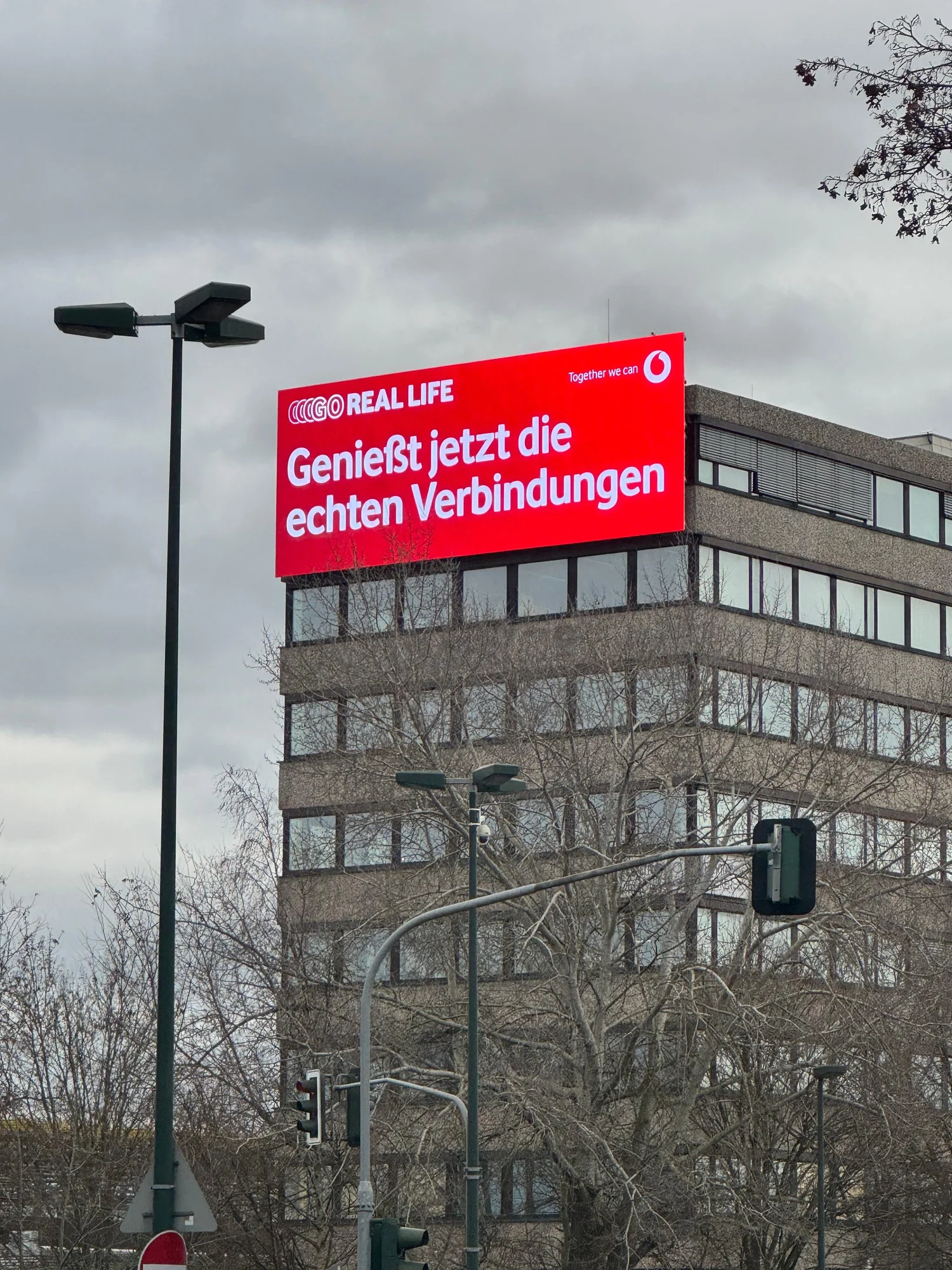
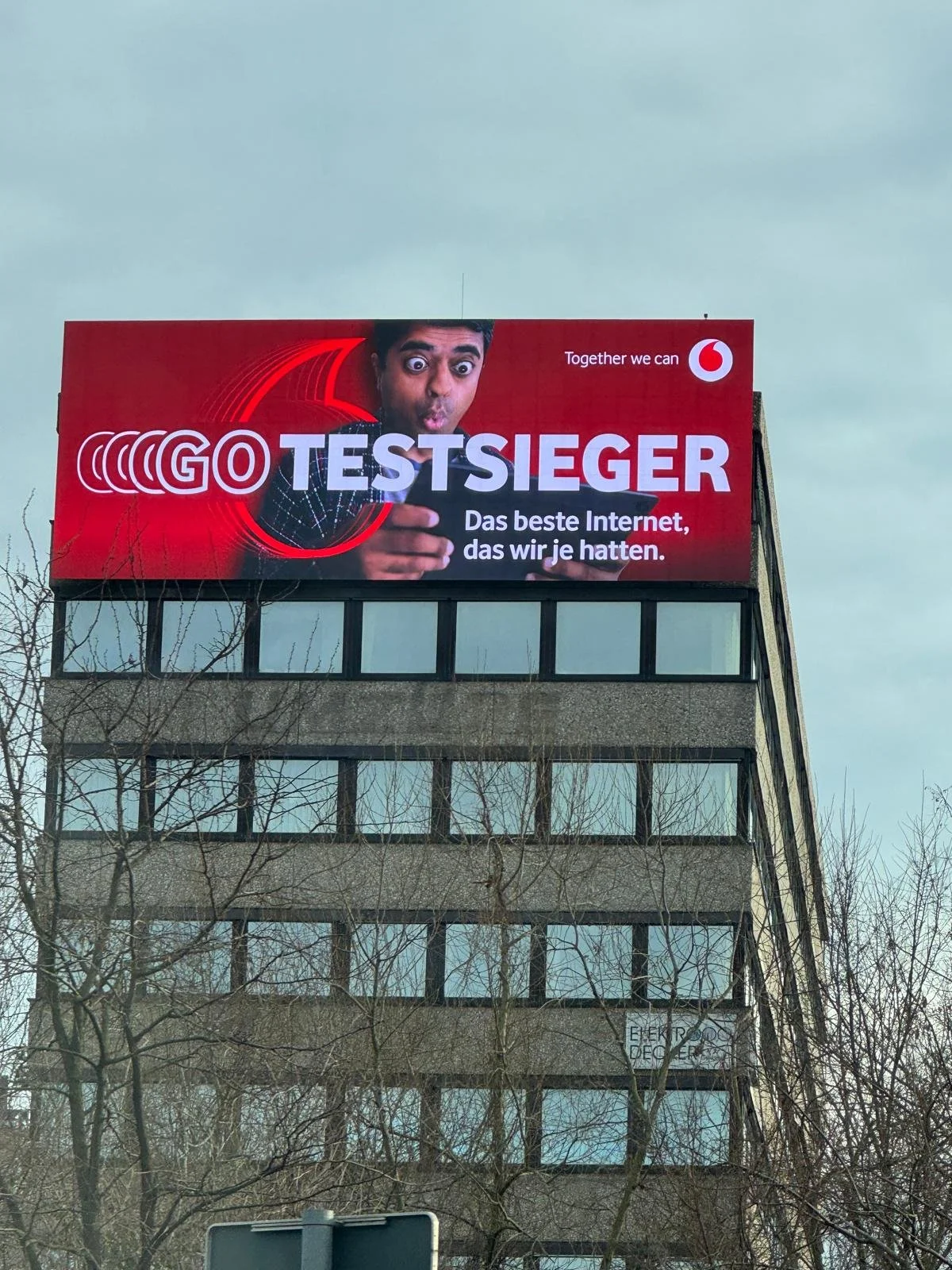
Düsseldorf. 65 m² above moving traffic.
LightnTec built a dynamic outdoor banner in Düsseldorf on LEDtecFlex™ | P8 Banner and integrated AI traffic detection, so the content changes only when vehicles are stationary. Full-scale advertising impact, without adding movement to a moving road.
m² video area
nit brightness
kg total weight
LEDtecFlex™ Banner
What a system includes
Four boxes, one cable run, no new screen.
IP cameras
Two units mounted at the display, aimed at the traffic in front of it.
Network
Switch and router linking the cameras to the controller over TCP/IP.
AI edge controller
The analysis unit. Classifies the traffic flow and issues the commands.
Media controller
Plays the content and reacts to the commands. BrightSign in the reference build.
Put it in front of your traffic.
Tell us the site, the display size and the road it faces. We will tell you what motionTec.Sens needs there.
motionTec.Sens is an optional add-on for LightnTec LED installations. The on-screen simulation is illustrative. System scope, camera positions, classification thresholds and switching times are defined per location. Internet connectivity at the site is to be provided by the customer.